The decision log
Software audits one kind of question well: what happened? The harder question in any AI-governance review is the second one: who decided that was okay? The decision log exists to answer it. Every human decision that shapes your organization's agent estate is recorded here — who acted, on what, when, and with what stated reason.
In the product
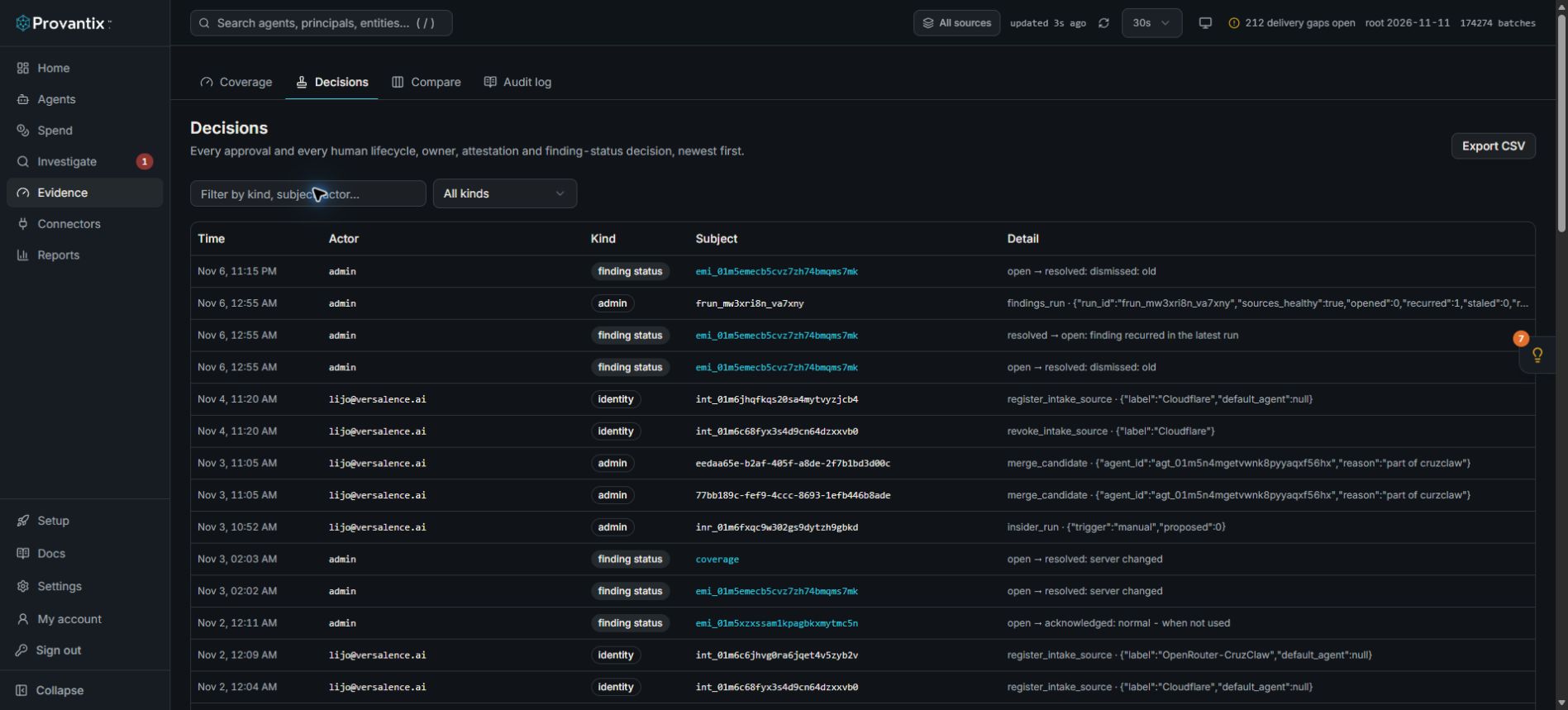
Product capture, 15–16 November 2026. Open the image for full size. Counts and dates are examples from the captured workspace.
Open Evidence, then Decisions. Filter by kind or search for a subject to read its recorded history. The table separates who acted, what kind of decision it was and its detail; a status change is not independent evidence that the underlying condition was fixed.
What counts as a decision
The log captures the kinds a reviewer actually asks about:
| Kind | Examples |
|---|---|
| Approval | A human approved a sensitive action before an agent executed it. |
| Lifecycle | An agent registered, retired, was re-enabled. |
| Owner | An agent's accountable owner was assigned or changed. |
| Attestation | Someone attested or excluded an agent–system pair on the Coverage page. |
| Finding status | A finding was resolved, with its mandatory reason. |
| Follow-up | Someone set, or cancelled, a follow-up on a finding: who is responsible and what was decided or done. The later reading of whether it improved is an operation, not a decision, and is in the audit log. |
| Identity | A candidate was confirmed, merged or dismissed. |
| Policy | Budget caps, sampling declarations, retention settings changed. |
| Erasure | A deletion request against erasable fields was executed. |
| Admin | Membership, roles and organization settings changed. |
If you did it in the product and it changed something, it is in this list. Automation (the platform's own rules firing) does not appear here — this page is specifically for human judgement, which is why it is short and readable instead of a firehose.
Using the page
- Filter by kind when preparing for a specific review — an attestation audit wants the attestation rows, a change-management review wants lifecycle and owner rows.
- Free-text filter by subject or actor: "show me everything Lijo decided in October."
- Export CSV hands the filtered set to an auditor as a file. The same rows are part of your organization's export bundle, so the on-screen view and the offline artifact always match.
- Each row links to its subject where one exists: a finding-status row opens the finding, an attestation row shows the day and root it attested to.
The audit log next door
Audit log (the last tab under Evidence) is the companion view: every administrative action in the organization, including ones that are not decisions in the governance sense (a failed login, a token refresh, an export run). Decisions are the curated story; the audit log is the raw camera footage. Auditors usually want both — decisions to test judgement, the audit log to see which administrative actions were taken in the organization and by whom.
Why reasons are mandatory
Every resolving action in the product asks for a reason, and this page is why. "Resolved: emitter silent — planned maintenance 02:00–04:00, LIJO, 2026-10-24" is a complete sentence an auditor can test. "Resolved" is not. The discipline is built into the UI because the sentence is the deliverable.
What to conclude here
Open Decisions before an audit and answer, in one filtered view: who approved sensitive actions, who owns each change, and what did we attest to? If every governance question your reviewer asks maps to a row with an actor, a timestamp and a reason, this page has done its job — and if some decision exists only in a chat message somewhere, that is the gap to close before the review, not during it.