Incidents: one timeline across an operational incident
When something goes wrong in production, the evidence is spread out: an alert, one agent investigating, another agent's logs, a decision, an approval, a tool call, the deploy system's own log, a rollback. The Incidents page puts them in one timeline, and says how sure it is about each.
It is worked out when you open it, from records Provantix already holds. Nothing about the incident is stored, so it cannot drift from the evidence.
In the product
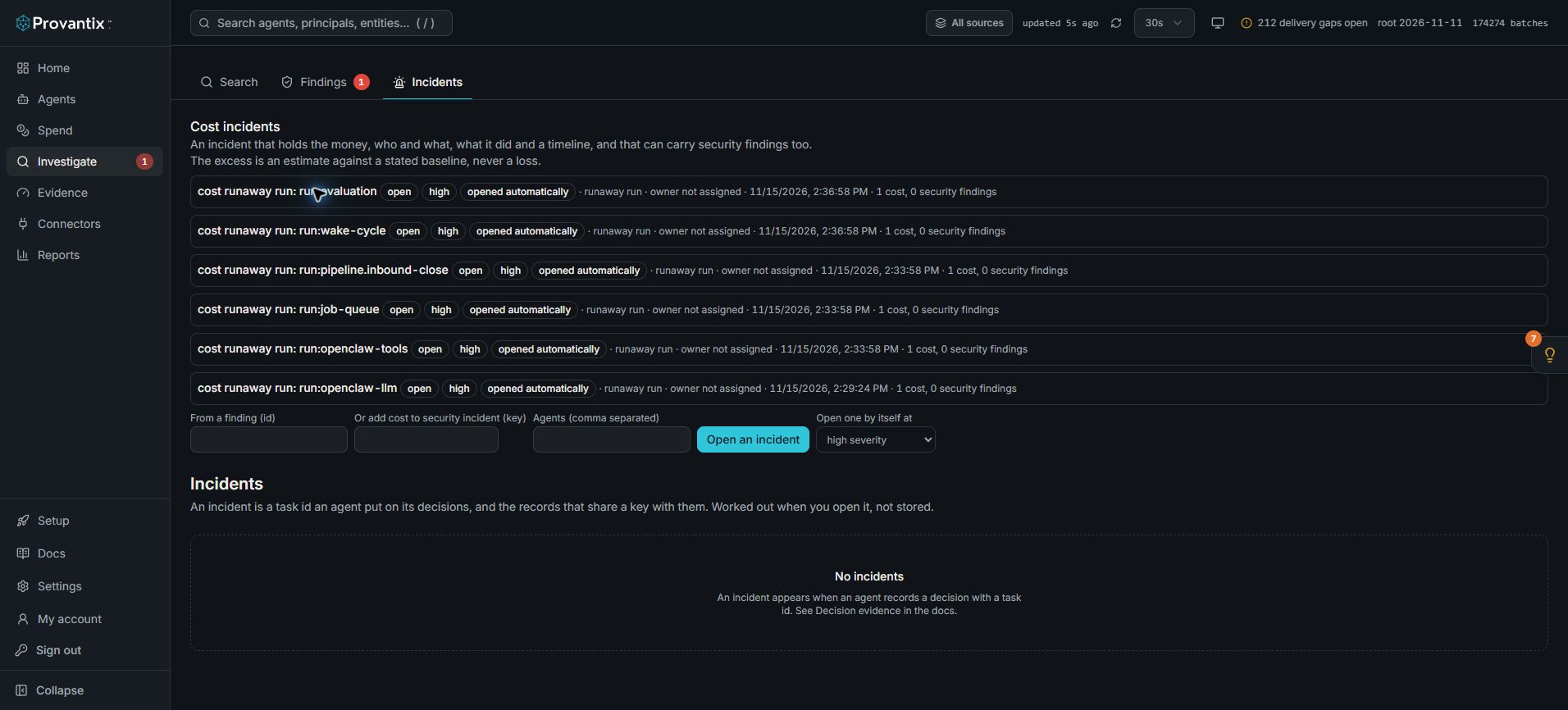
Product capture, 15–16 November 2026. Open the image for full size. Counts and dates are examples from the captured workspace.
The page separates Cost incidents from incidents reconstructed from decision task ids. In this example cost incidents exist, while the lower Incidents section says No incidents. These are different evidence groupings, not contradictory counts.
What an incident is
An incident is a task id an agent put on its decision records (see Decision evidence), and the records that share a key with them. Each record in the timeline shows how it was joined, and how sure that is:
| Joined by | Confidence | Meaning |
|---|---|---|
| the decision carries the task id | exact | The agent said these decisions belong to this incident. |
| the action cites one of the decisions | exact | The action's own record points at a decision in the incident. |
| a later outcome linked to a member | exact | A reversal, retry, dispute or override recorded against it. |
| the same trace as a member | strong | Another step of the same run. |
| the same session as a member | moderate | Probably the same piece of work, for example a second agent working the same page. Not confirmed. |
| the same entity as an action that changed something | moderate | For example the deploy system's own log about the deploy the agent rolled back. Probably the same event, not confirmed. |
| added by a person | manual | With a reason, and who. |
Records that share only a system and a time are listed as possibly related, not included, with low confidence. They are not in the timeline or the evidence bundle unless a person adds them.
What the timeline shows
Each entry says what it was recorded as: detection, investigation, proposed remediation (a decision), approval, tool execution, destination observation or later outcome. A stage with no evidence says not recorded: Provantix does not fill in a stage nothing recorded. A tool call is shown as an execution only when something ties it to a change (a decision cites it, an approval covers it, a destination check covers it); otherwise it is an investigation step.
Entries are ordered by each source's own clock. Where sources disagree, the page says so.
What it says plainly
- A clock that reads ahead, or a record that arrived late. Both sources' times are kept; the timeline marks the entry.
- A step before the step that started it, a decision written after the action it selected, an approval dated after the action.
- A repeated action: several records with the same action id, as a retry or a duplicate. Nothing says which, and if their outcomes differ, it says so.
- A missing span: a record names a parent step that is not among the incident's records.
- Evidence not seen: an action no destination check covers, or whose destination record has not been seen yet. The second is expected for a while and is not evidence the action did not happen.
- Contradictions: the agent reported success and the destination's record differs; the agent reported failure and the destination recorded the change; a change the destination confirmed that was later reversed; an action executed with an approval that does not cover it.
What it never says
It does not say an action prevented, fixed or resolved the incident. Nothing Provantix holds records a recovery on its own. A configuration change your control system reported for an agent in the incident appears on the timeline as that system's report, with the recovery verdict beside it, which is drawn from the runs after the change. At most it says the destination system's own record confirms a change was made, and the page repeats that this is not the same thing. Cause and effect are for people to judge from the evidence.
Correcting the grouping
If the rules join a record that does not belong, or miss one that does, a person can remove or add it, with a reason. Each correction is kept (who, when, why), a later correction of the same record replaces the earlier one in effect but not in the history, and the number of corrections is the incident's grouping version, shown on the page and written into the evidence bundle's scope. The records themselves are never touched.
The evidence bundle
Evidence bundle downloads a standard export of exactly the incident's records: the decisions, the actions, the approvals, the destination's records, the authority at the time and the reconciliation results. It verifies offline with the verification kit like any export. It says how it was chosen (which incident, which grouping rules version, how many corrections) and that it holds the records chosen by name, not every record the organization had.
Cost evidence in an incident
A security incident can have cost evidence added, and a cost incident can have security findings added: one incident, two kinds of evidence, each labelled. See Cost incidents.
Limits
- An incident needs a task id on at least one decision. Work with no decision record does not form an incident.
- Joins by session or by entity are probable, not confirmed, and are marked so.
- Only the last 90 days are searched, and at most 500 records are shown.
- Provantix reports what was recorded. Whether the response was right, and whether to change what agents may do, is for you.