Expected steps: the tool a run should have called
An agent can return a fluent answer while a step it should have taken never ran, and nothing else looks wrong: the service is up, latency is normal, there are no errors. An expected step is how you tell Provantix what to look for.
On the agent's page, open Expected steps and declare the tool its runs should call, and optionally the system it should be on. For a knowledge assistant, that is the retrieval call before it answers. The declaration is your statement. Provantix keeps it with who made it and when, never edits it, and keeps it on record when you end it.
In the product
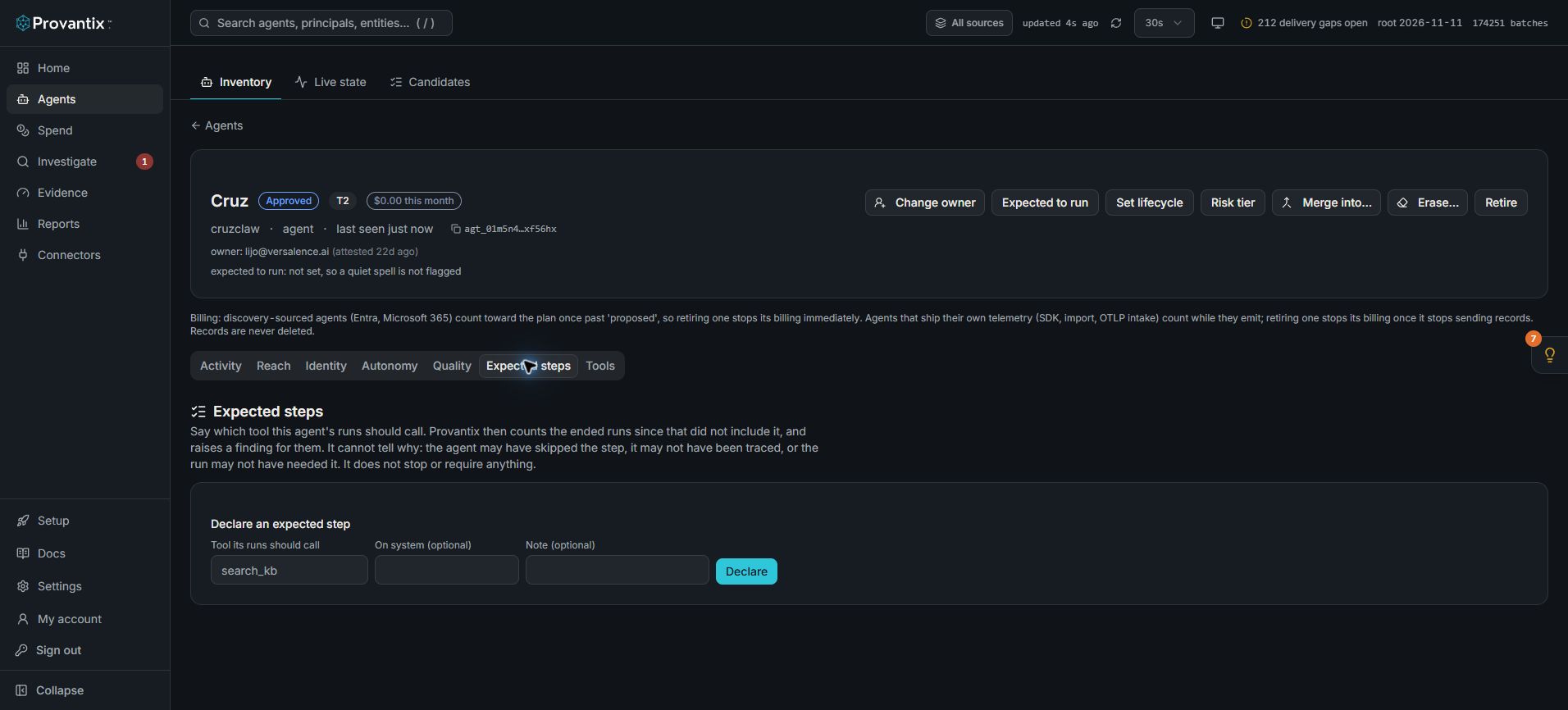
Product capture, 15–16 November 2026. Open the image for full size. Counts and dates are examples from the captured workspace.
Open an agent and select Expected steps. A declaration names the tool expected in ended runs, optionally scoped to a system. Missing evidence of a step cannot distinguish a skipped step from an untraced or unnecessary one.
What Provantix does with it
Over the runs of that agent since the declaration, it counts how many ended runs did not include a call to that tool, and shows the count beside how many did, with example runs to open. When there are any, it raises an Expected step missing finding.
- A run is the records of one agent in one trace. Decision and verdict records are not the agent doing work and do not make a run.
- An ended run has had no record for 30 minutes, so a run still in progress is not called short. Runs still in progress are counted apart.
- The step was included when the run has a record with that tool name (and that system, if you named one). A call that failed still counts as included: present but failed is not missing, and a tool that keeps failing is its own finding.
- Runs from before the declaration are not judged, however they went, and only the last 7 days are looked at.
What it does not say
It does not say why a run lacks the step. The agent may have skipped it, the step may not have been traced, or the run may not have needed it. That is for the owner to judge, and the finding says so. It does not stop an agent or require the step: Provantix reads records after the fact.
When to use it
For a step whose absence changes the answer: a retrieval before an answer, a permission check before a change, a validation before a send. Declare it on the tool name the records carry. If the step is not traced, a declaration will report every run as missing it, and the finding tells you to check that first.
See Expected step missing for what to do when it fires. After a fix or a rollback, Recovery after a change checks whether the step is back in the runs of the same cohort.