From a question to a conclusion
This page walks one realistic scenario end to end, using the pages covered in this section. The scenario: your CFO asks, "that agent that touches the payroll system — what has it actually been doing, and can you prove it?"
In the product
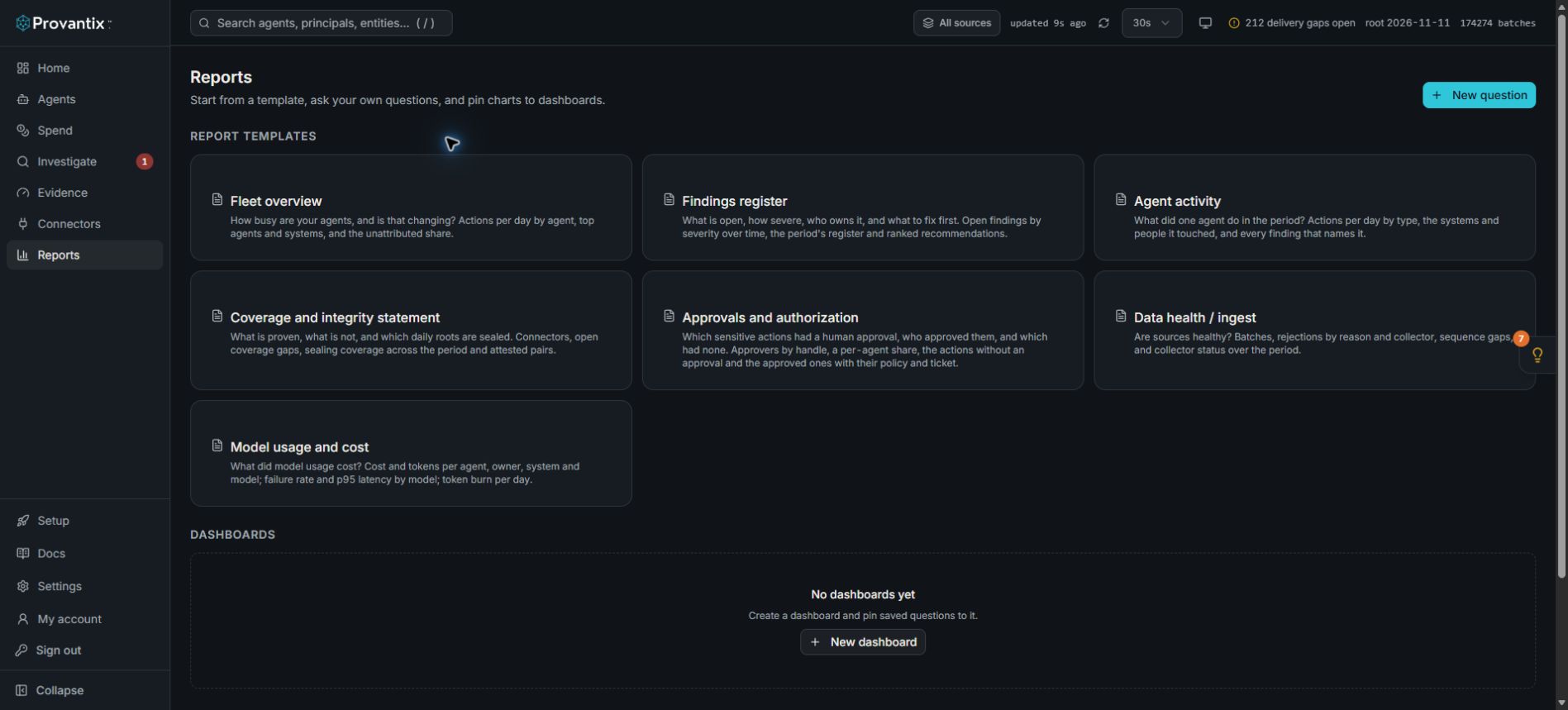
Product capture, 15–16 November 2026. Open the image for full size. Counts and dates are examples from the captured workspace.
Use the relevant report template after reviewing the agent, its records and coverage. The screenshots in this guide show a real workspace, not the payroll scenario described below. Keep missing prices, missing approvals and coverage limits in the conclusion.
Step 1 — Find the agent
Open Agents. Filter or scan for the agent whose reach includes payroll. Its row shows owner, risk tier, lifecycle and last seen. Open the agent to inspect activity and reach, then review its findings. No such agent, but payroll records exist? Then the question becomes a candidate review — something is acting on payroll that you have not acknowledged. Either way, the first answer arrives in under a minute: the agent exists, it is owned, and here is its activity level.
Step 2 — See exactly what it did
Open the agent, then Investigate filtered to that agent and the payroll system, window set to the period the CFO cares about. You now have the row-level answer: every action, when, with what outcome, each row signed and verifiable. If the agent delegates to sub-agents, open a record and follow it to the run view to see the whole chain, approvals included.
Use the run's Verify control, or verify the exported evidence, before quoting an integrity result. State what the returned result actually checks. A record hash alone does not establish an emitter signature, complete delivery, or that the reported action happened at the destination.
Step 3 — Check the evidence is whole
Open Coverage for the window. You are looking for two things: the agent–system pairs the claim depends on are covered by independent evidence rather than self-reported telemetry, and the days you will rely on are sealed (the Home page shows sealing per day). A gap in the window does not invalidate the records around it, but it bounds your claim — "complete for these days; these three hours are a known emitter restart, logged as a finding." That bound is part of an honest answer.
Step 4 — Put a number on it
If the CFO's question includes cost — "and what is it costing?" — the model usage report has the agent's spend, tokens and failure rate. If cost shows zero, check whether the emitter reports usage before claiming the agent is cheap; say "activity cost is not yet reported by this emitter" rather than "it costs nothing."
Step 5 — Assemble the deliverable
Export what you will stand behind:
- For a working conversation: the filtered Investigate view as a URL, plus a handful of verified record drawers.
- For a file: the CSV of the filtered rows.
- For an audit trail: the evidence bundle for the window — sealed records, daily roots, attestations, a signed verification manifest. It verifies offline, so the CFO's team can recompute it on their own machine and check our signature on it against the published keys.
The conclusion, worded honestly
"Between 1 October and today, agent payroll-reconciler (owner: finance-ops) performed 412 actions on the payroll system, all successful, all attributed. Every action verifies against its emitter's signature. Evidence for 28 of 30 days is sealed and attested; the two unsealed days had no activity. Model cost for the period was $61.40. Here is the bundle; here is how to verify it."
That paragraph — specific, bounded, verifiable — is what this product exists to let you say. Every page in this section is one step of assembling it.