An agent with no owner
What you're seeing
A finding like:
Cruz is approved with no owner
And on the Agents page, an agent whose Owner column is empty. On the agent's detail page, the header shows owner: —.
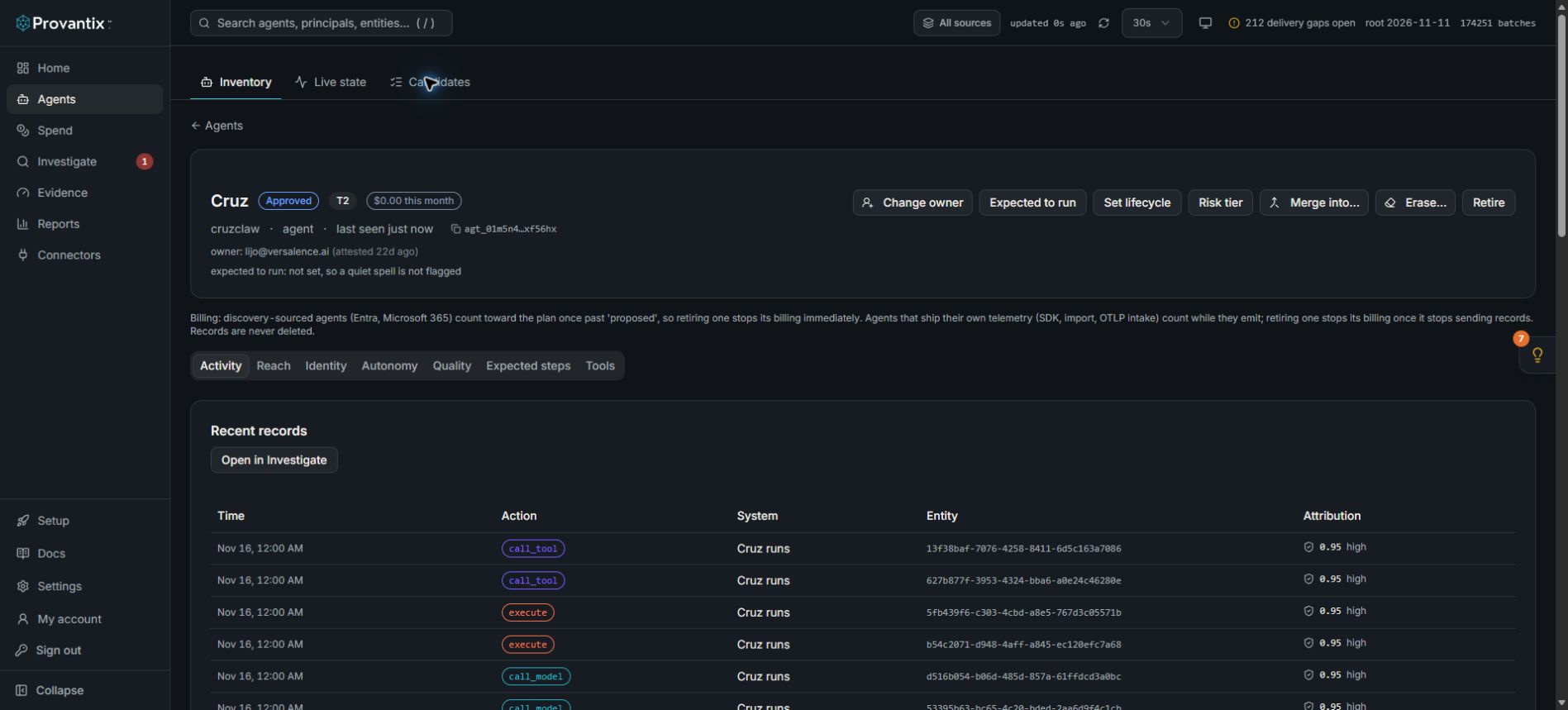
Product capture, 15–16 November 2026. Open the image for full size.
This capture shows an assigned owner. Use Change owner when investigating a missing or incorrect owner; the screenshot is the control location, not an unowned-agent example.
What it means
The agent is real, active and approved — but nobody is accountable for it on paper. Every other flow in the product leans on ownership: chargeback attributes cost to owners, findings are assigned to owners, coverage attestation is an owner's signature. An agent without an owner is an agent nobody will answer for when an auditor asks "who is responsible for this?"
What to do
- Open the agent's detail page (click its name on the Agents page).
- Decide the right owner — the person who can answer for what this agent does, not necessarily the person who built it. For most agents that is the product or operations owner of the workflow the agent serves.
- Click Change owner and enter their work email. If they do not have a Provantix account yet, add them via Settings → Members first; ownership references must resolve to a real member.
- While you are on the page, check the rest of the header:
- Lifecycle should match reality (approved for agents in production, proposed for ones still being evaluated, retired for decommissioned). Lifecycle changes are billing-relevant: discovery-sourced agents count toward the plan once past proposed.
- Risk tier should reflect blast radius. When unsure, leave the current tier and revisit after the first findings cycle.
- The finding resolves on the next reconciliation pass (or Run reconciliation).
What good looks like
Every active agent has a named owner, the Agents page has no empty Owner cells, and chargeback, findings and attestation all attribute to real people.
The organizational version
If this finding appears in bulk after onboarding — dozens of agents, no owners — do not fix them one by one. Export the agent list, have each team claim their agents in a spreadsheet, then set owners in bulk via the account API (PUT /v1/agents/:id/owner). The finding list will clear as owners land.